Behavioral Experiment, the app
The worksheet with guidance built into every step, worked examples to lean on, a step ladder that tracks the climb, reminders, and a summary you can hand to your therapist. Free, no ads, no accounts, and nothing collected.
Requires iOS or iPadOS 17 or later, or Android 8.0 or later. English and Spanish.
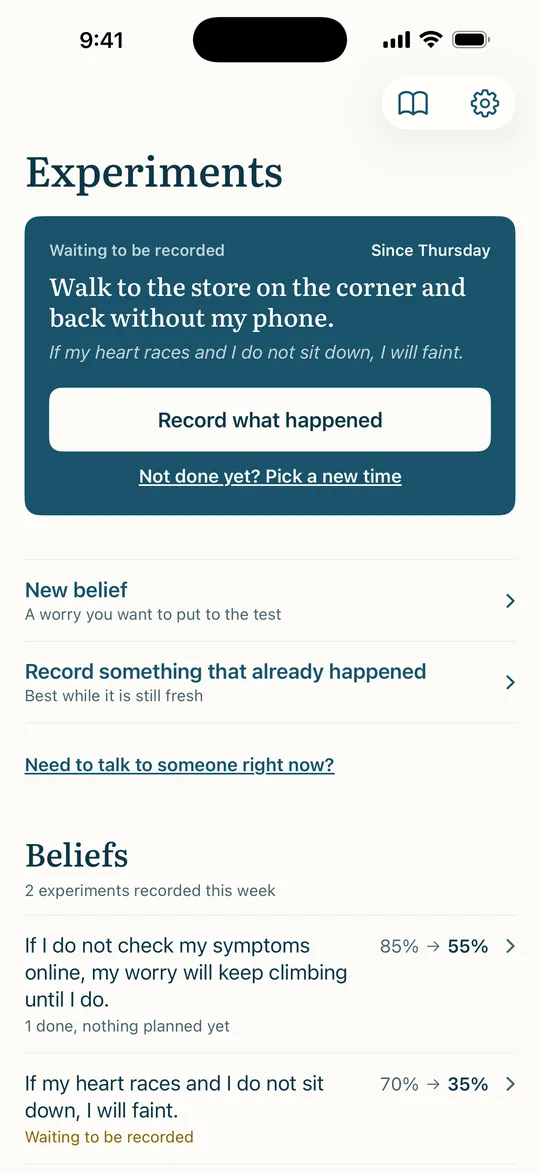
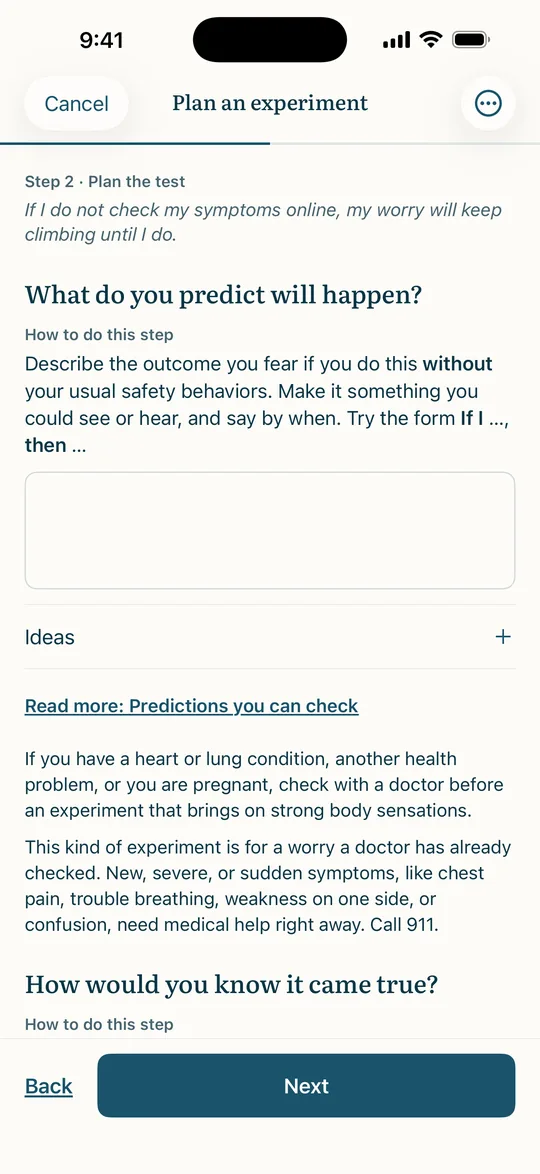
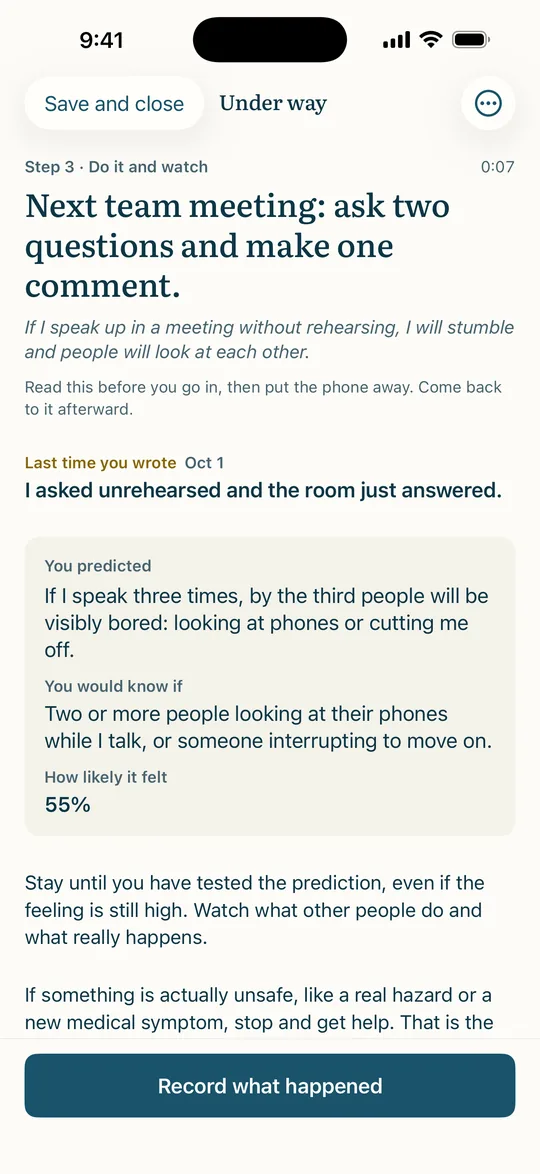
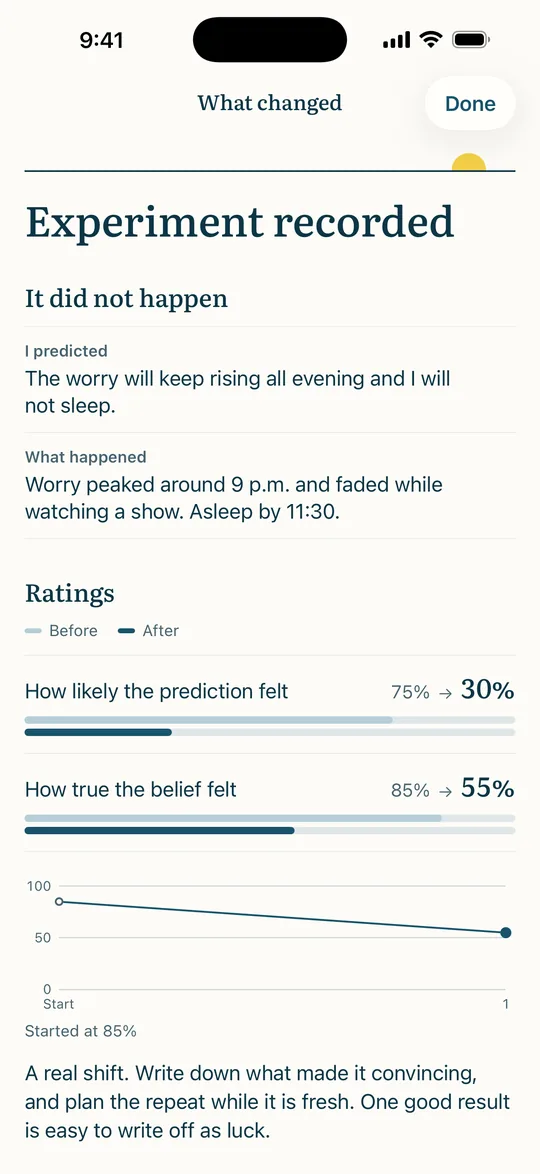
What it does
Guides each step. Write the belief, choose a situation, make the prediction observable, name the safety behaviors to drop, and note what could get in the way. Every page has a short explanation and a worked example you can open, or use as a starting point.
Suggests safety behaviors that fit. The suggestions change with what you wrote. A belief about blushing brings up different precautions from one about driving on the highway.
Stays with you during the experiment. A single screen with the plan, the prediction, your safety behaviors as a checklist, distress check-ins when you have rated the distress you expect, and a place for notes that flow straight into the review.
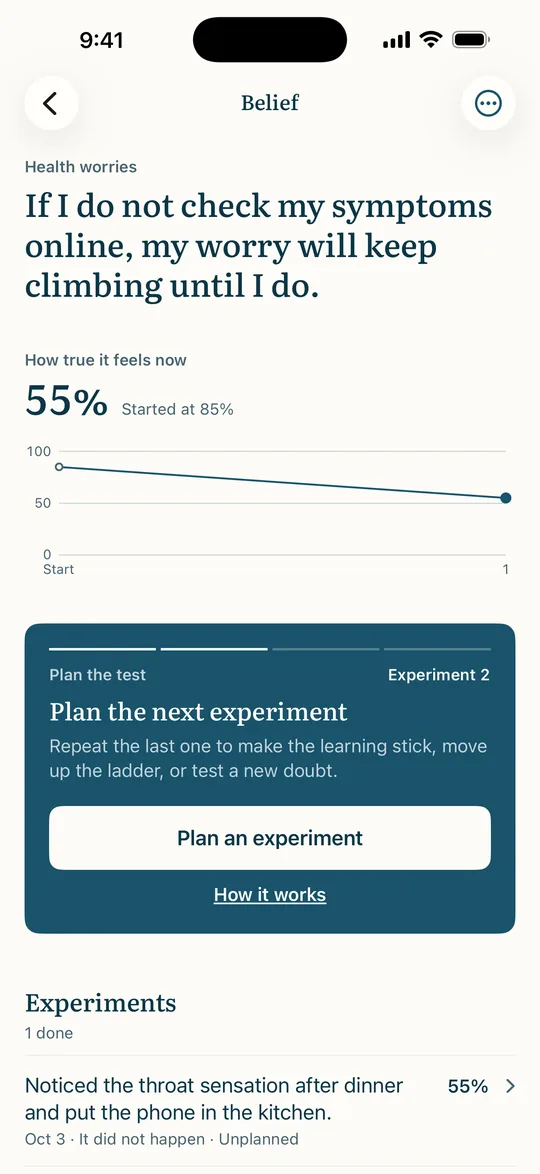
Shows what changed. After you record what happened, the app shows the prediction beside the outcome, both ratings before and after, and offers the next move: repeat it, move up the ladder, or plan a different test.
And around it
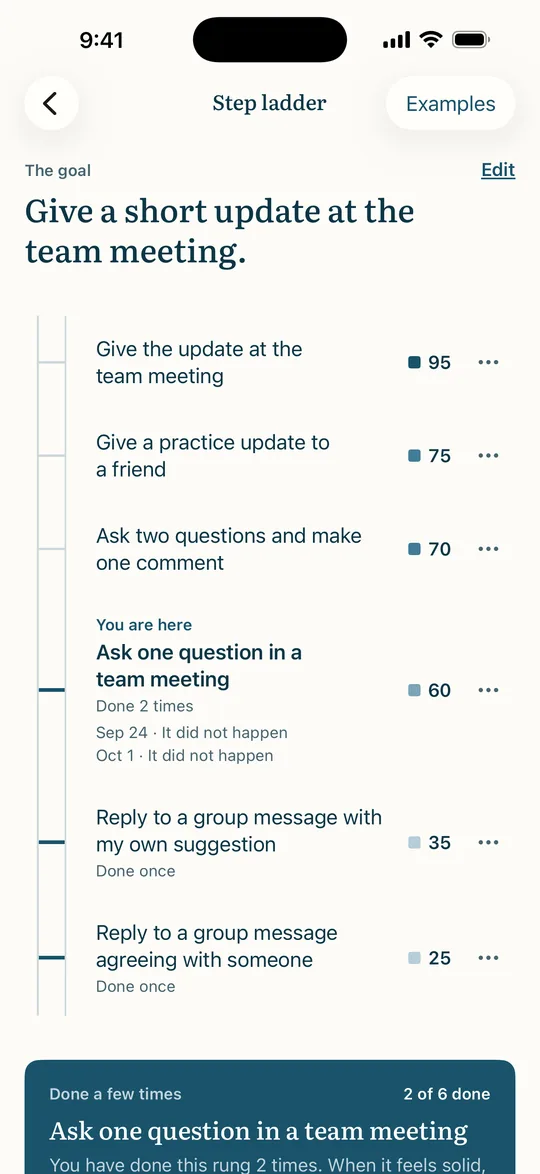
Step ladders. Situations from easiest to hardest, rated for expected distress, with a history under each rung and a nudge to move up once a rung has been done twice.
Reminders. A notification when an experiment is due, another afterward to record how it went, and an optional weekly check-in. All are scheduled on your device.
A session summary for your therapist. One page per belief: the rating over time, the experiments in order, and what each one taught you. Share it as a PDF whenever you choose.
Nine short articles on CBT, anxiety, avoidance, safety behaviors, experiments, predictions, ladders, making the learning stick, and working with a therapist, each with its references. The same ones as on this site.
Shortcuts. “Plan an experiment,” “Record an experiment,” and “Record what happened” are a long press away on the app icon. On iPhone and iPad they also work with Siri and the Shortcuts app. Record an experiment can go in Control Center on iOS 18 or later, or in Quick Settings on Android.
Private by default
There are no accounts and no analytics. Everything you write is stored on your device. If you turn on sync, it is copied to your own iCloud account on iPhone and iPad, or to a private folder in your own Google Drive on Android, so it appears on your other devices. That data moves between your devices and Apple or Google, and we never have access to it. You can lock the app with Face ID, Touch ID, or your passcode on iPhone and iPad, or with your fingerprint, face, or screen lock on Android. There is no server of ours, and nothing you write is ever sent to us. App privacy policy.
Not a treatment
The app is a guided worksheet and a set of educational articles. It is not therapy, counseling, medical care, diagnosis, or treatment, and using it does not create a professional relationship with us. It says this on first launch and asks you to agree to the terms of use before you begin. If you are working with a therapist, psychiatrist, or other clinician, plan experiments with them and follow their guidance over anything in the app. You decide whether to do any experiment, and you do it at your own risk.
Get it
Free on the App Store for iPhone and iPad and on Google Play for Android, in English and Spanish. No account to create.


Support
Questions, problems, or something that reads wrong in either language: hello@behavioralexperiment.com. The support page answers the common ones.